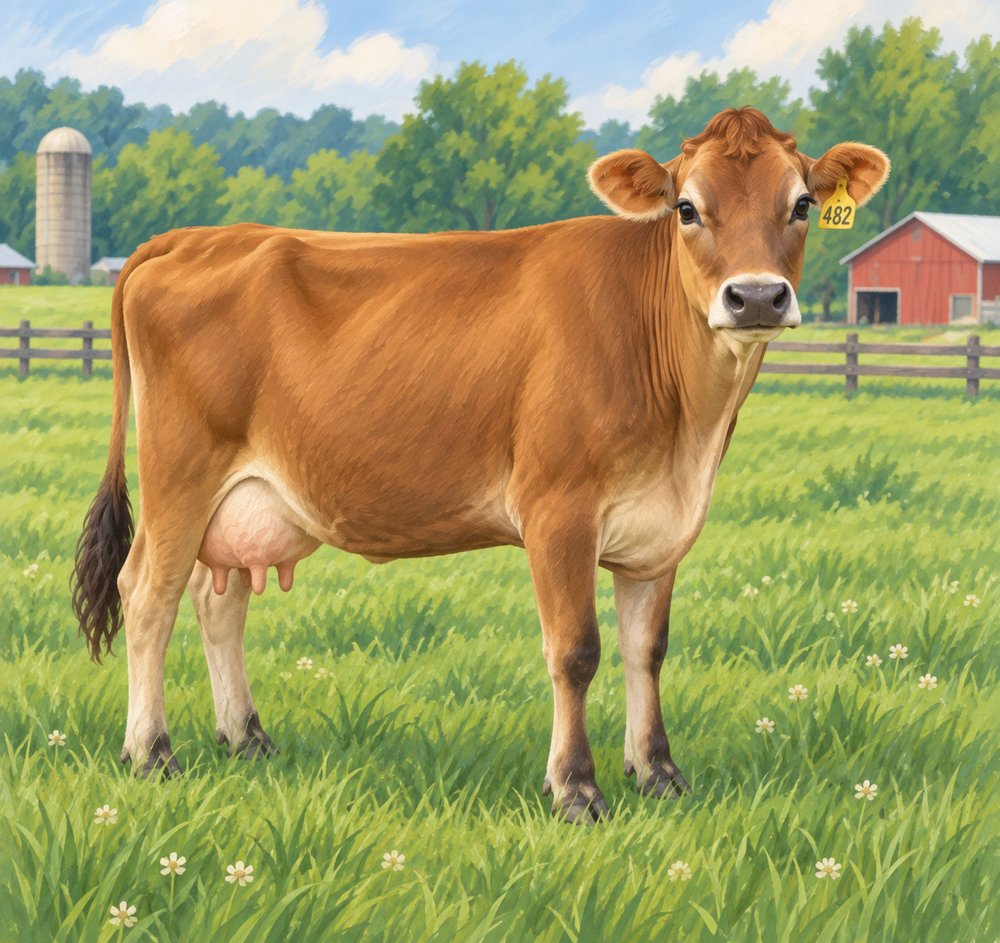
Two interactive experiences are live now.
Independent product · agriculture education · interactive learning
I created Ag Dirt Busters to help kids and adults explore everyday agriculture questions. Each interactive experience starts with a question, lets learners test an idea, and explains the answer with sources they can check.
Tools used: HTML · CSS · JavaScript · GitHub · Netlify · Supabase · Postmark
The product challenge
The goal was to make common agriculture questions easy to explore without requiring a learner account. The same interactive experience format also had to work for families, classrooms, businesses, and events.
Two interactive experiences are live now.
Designed for events, classrooms, businesses, families, and custom topics.
Five working dashboard views support reporting and review.
Learning model
I use the same three-part learning pattern across topics so learners know what to do without needing instructions or a login.
Answer before seeing the explanation.
Use a short interaction to test the idea.
Revisit the answer and check the sources.
Behind the design
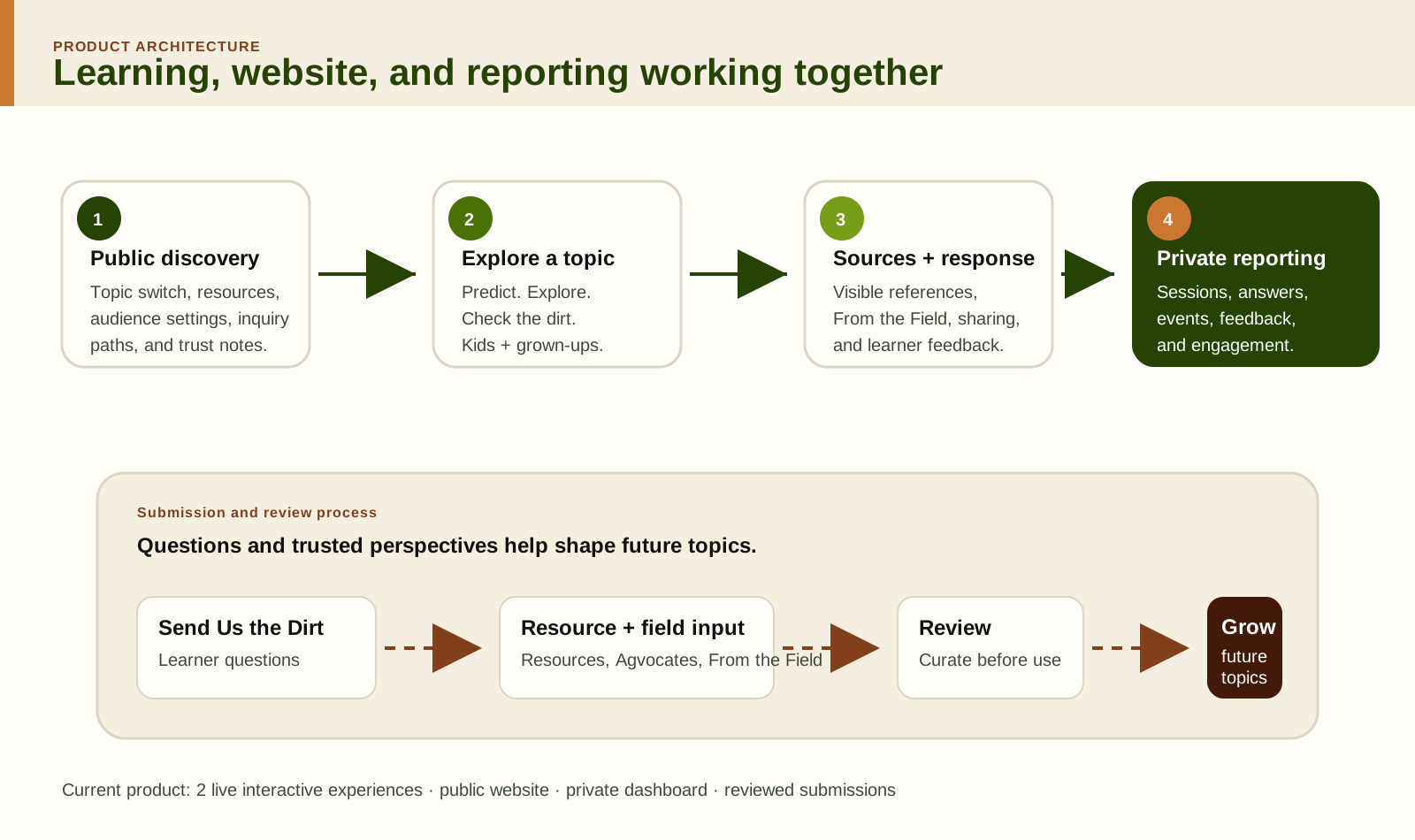
The interactive experience does the teaching. The website helps people find and use it. The dashboard shows how it is being used. Submission forms give me a controlled way to collect future questions and perspectives.
Each interactive experience follows a familiar structure, with visuals and activities chosen for its topic.
Visitors can choose an interactive experience, explore ways to use it, check sources, and get in touch.
The dashboard tracks learner sessions separately from page views and brings together event activity and feedback.
People can submit questions, resources, recommendations for agriculture voices, and firsthand perspectives. I review submissions before publishing them.
Live learning examples
Both interactive experiences use the same learning pattern, with different visuals and interactions for the topic.

Start with the brown-cow question, compare cows, and check the evidence behind chocolate milk.
Open interactive experience ↗
Trace familiar pizza ingredients back to the farms, animals, and crops behind them.
Open interactive experience ↗Current public website
The website helps visitors find interactive experiences, plan how to use them, check sources, and contribute questions or resources.
Visitors can open an interactive experience, see how it can be used, review sources, or submit a question or resource.
Both current Dirt Busters are easy to find without requiring a learner account.
Visitors can explore uses for fairs, classrooms, businesses, families, and custom topics.
Visitors can review the sources, what the interactive experiences cover, privacy information, and how editorial decisions are made.
Questions, resources, Agvocate recommendations, and From the Field perspectives have separate submission paths.
Private reporting
Five dashboard views help me review interactive experience activity, event use, feedback, questions, and contributions. I can filter by interactive experience, event, audience experience, source or kiosk, and date. The data is still too limited to draw conclusions about learning results.
Participants, opening answers, final correct answers, completion, belief shift, uncertainty resolved, and engagement actions.
A printable event view shows participation, answers, source or kiosk, and adult-versus-kid use.
Feedback asks whether the interactive experience was useful, whether learners feel confident explaining the topic, and whether they would recommend it. Learners can also leave comments. Responses are still too limited to draw broader conclusions.
Read-only questions from Send Us the Dirt can inform future content planning.
Resource, Agvocate, and From the Field submissions feed one review queue.
Growing the collection
People can suggest a source, share firsthand experience, recommend an agriculture voice, or send a question. I review those submissions before using them in interactive experiences or resources.
Send Us the Dirt handles questions; resource, Agvocate, and From the Field forms capture other contribution types.
The Contributions dashboard lets me read incoming submissions before deciding what to include.
Reviewed questions, sources, and firsthand perspectives can support future interactive experiences and the resource library.
Current evidence
Published interactive experiences available to the public now.
Public website connecting interactive experiences, ideas for using them, resources, and submission forms.
Dashboard views supporting internal review of learning activity and incoming contributions.
I design the learning first, then build the supporting experience around how it will actually be used.